Best Webcams 2026: 10 Picks for Work and Streaming
We researched and compared 30+ webcams to find the 10 best for UK buyers in 2026. From budget 1080p to premium 4K, find your perfect match.
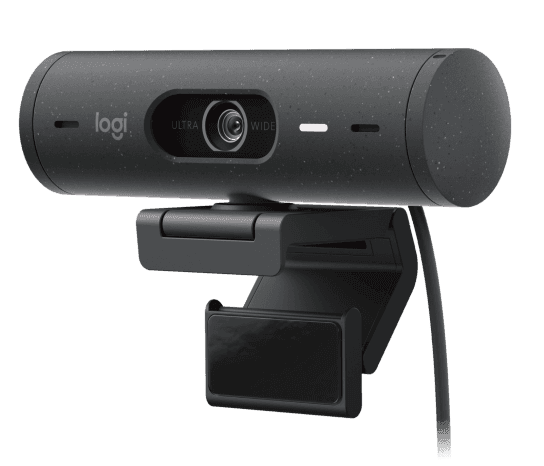
Pictured: Logitech Brio 500. Image via the product's Amazon UK listing.
As an Amazon Associate, we earn from qualifying purchases. Prices and availability are accurate as of the publish date. Full disclosure
Our Top Picks
A quick look at our recommendations
Detailed Reviews
What we like
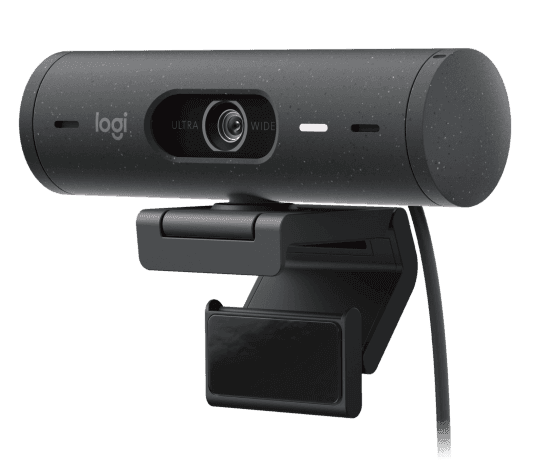
- **Verdict:** Our top all-round pick, and the one most buyers should shortlist first.
- RightLight 4 auto-exposure technology adjusts brilliantly to mixed and low lighting conditions, consistently producing a balanced and natural-looking image without manual tweaking.
- Show Mode lets you tilt the camera downward with one hand to present physical documents, sketches, or products on your desk during video calls, which is genuinely useful for creative professionals.
- Auto-framing keeps you centred in the shot even when you shift around in your chair, and the framing is smooth rather than jerky, so it does not distract your audience.
- Dual noise-reducing microphones capture clear audio and do a respectable job of filtering out background sounds like keyboard clicks, dog barks, and passing traffic.
Could be better
- Capped at 1080p/30fps, which feels limiting for streamers or creators who want smoother 60fps video or the extra detail of 4K resolution.
- The micro-suction mounting pad can leave a faint residue on glossy monitor bezels, and some users report it losing grip after several months of daily repositioning.
- Logitech's Logi Tune software is required for advanced settings and firmware updates, and it can be sluggish and occasionally buggy on both Windows and macOS.
What we like
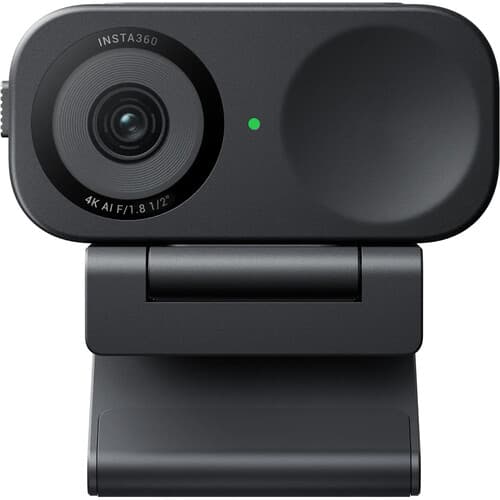
- **Verdict:** The pick to choose specifically for 4k webcam.
- The 1/2-inch sensor captures noticeably more light and detail than the smaller sensors in most webcams, delivering sharp, vibrant 4K footage even in average office lighting.
- AI-powered auto-framing keeps you perfectly centred and smoothly tracks your movements, and you can trigger zoom, tracking, and whiteboard mode with simple hand gestures rather than touching the software.
- HDR processing handles tricky mixed-lighting setups well, pulling detail back from bright windows behind you while keeping your face properly exposed in the foreground.
- DeskView mode lets you point the camera straight down at your workspace for overhead shots of documents, art, or products without needing a separate overhead rig.
Could be better
- The built-in microphone is adequate for casual calls but picks up more room noise than dedicated mics, so serious streamers will want an external microphone regardless.
- Companion software can feel cluttered with options and occasionally requires a restart to recognise the camera after waking your computer from sleep.
- The fixed (non-gimbal) design means the camera itself does not physically pan or tilt; all framing adjustments happen digitally through cropping, which reduces effective resolution at extreme zoom levels.
What we like
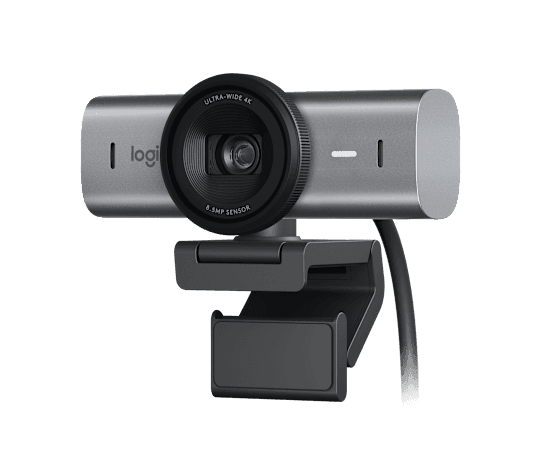
- **Verdict:** Buy this if you want the most capable option here and the budget to match.
- True 4K resolution at 30fps with a sensor featuring 70% larger pixels than its predecessor means noticeably sharper, more detailed video, particularly visible in well-lit environments.
- AI-enhanced image quality actively adjusts exposure, white balance, and skin tone in real time, producing consistently professional-looking results across different lighting setups.
- The aluminium chassis and integrated privacy shutter feel genuinely premium and are a significant step up from the plastic builds found on most webcams in this price range.
- Supports 1080p at 60fps for smoother motion when presenting or demonstrating products on screen, which is a real advantage for teachers and trainers.
Could be better
- The built-in microphones have a noticeable tinny quality that makes voices sound hollow, so most users will want a separate microphone for professional calls or recordings.
- At approximately £140, it sits in a crowded space between the excellent Brio 500 at half the price and the AI-tracking powerhouse Insta360 Link 2C at a similar price.
- The adhesive mounting pad shares the same grip-over-time concerns as the Brio 500, and finding a replacement pad is not straightforward.

What we like
- **Verdict:** The pick to choose specifically for streaming.
- The industry-leading 1/1.5-inch CMOS sensor is the largest currently found in any webcam, delivering DSLR-like image quality with beautiful background separation and exceptional low-light performance.
- Mechanical 2-axis gimbal with AI tracking physically pans and tilts to follow your movements, producing smooth, broadcast-quality tracking that digital crop-and-zoom solutions simply cannot match.
- Voice control lets you start or stop tracking, zoom in or out, and switch modes entirely hands-free, which is a genuine workflow improvement for solo streamers juggling multiple tasks.
- PixGain HDR and auto white balance work in concert to maintain accurate, vivid colours even under harsh LED ring lights or mixed warm and cool lighting setups.
Could be better
- At around £270, it costs more than twice what you would pay for the Insta360 Link 2C, and casual users will struggle to justify the premium over that already-excellent 4K competitor.
- The motorised gimbal makes a faint whirring noise during active tracking that can be picked up by sensitive external microphones placed close to the webcam.
- USB 3.0 is required for full 4K/60fps output; using a USB 2.0 port silently drops the resolution and frame rate, which can catch users off guard if their laptop lacks a USB 3.0 port.
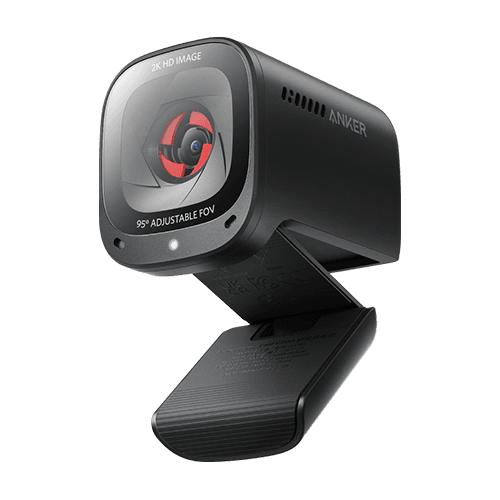
What we like
- **Verdict:** Where sensible spending lands, plenty of capability without the premium price.
- Crystal-clear 2K (2560x1440) resolution at this price point is remarkable, delivering noticeably sharper video than the 1080p webcams that dominate the sub-£50 market.
- Adjustable field of view with three presets of 65, 78, and 95 degrees lets you switch between a tight headshot for solo calls and a wide shot that captures you and a colleague side by side.
- AI-powered dual stereo microphones are surprisingly effective at isolating your voice and reducing keyboard clatter, traffic noise, and other common home-office distractions.
- With over 50,000 ratings on Amazon UK and a 4.5-star average, the sheer volume of positive feedback provides genuine confidence in long-term reliability and quality.
Could be better
- Low-light performance is noticeably weaker than the Logitech Brio 500 or Insta360 Link 2C; in dimly lit rooms the image becomes grainy and colours wash out.
- The built-in privacy cover feels flimsy compared to the smooth-sliding shutters on Logitech webcams, and a few users report it becoming loose after months of daily use.
- No companion software for fine-tuning image settings like white balance, exposure, or saturation, so you are at the mercy of whatever automatic adjustments the camera decides upon.
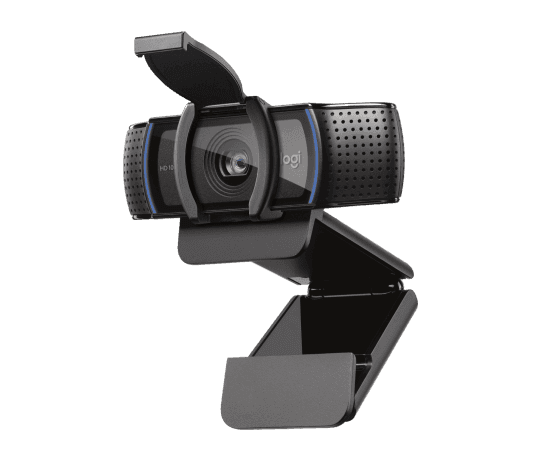
What we like
- **Verdict:** The pick to choose specifically for all-rounder.
- Carl Zeiss optics with glass lens elements produce sharper, more detailed 1080p video than the plastic lenses found in virtually every other webcam at this price, and the autofocus is fast and reliable.
- Dual omnidirectional stereo microphones capture natural-sounding audio with decent noise suppression, genuinely good enough for daily video calls without needing a headset.
- The C920 series has been refined over more than a decade, and this maturity shows in rock-solid driver compatibility across Windows, macOS, Chrome OS, and Linux, with no fiddling needed.
- Over 15,000 Amazon UK reviews confirm this is one of the most battle-tested webcams you can buy, and its long track record means troubleshooting guides and community support are abundant.
Could be better
- Maxes out at 1080p/30fps, so video can look slightly choppy during fast hand movements or when holding up products, which is noticeable when compared to 60fps alternatives.
- The design is starting to look dated next to slimmer, more modern webcams like the Brio 500, and the chunky clip feels oversized on thin ultrabook displays.
- HD light correction is effective but not as advanced as the AI-driven auto-exposure systems in newer Logitech models, so very high-contrast or backlit scenes can still look blown out.
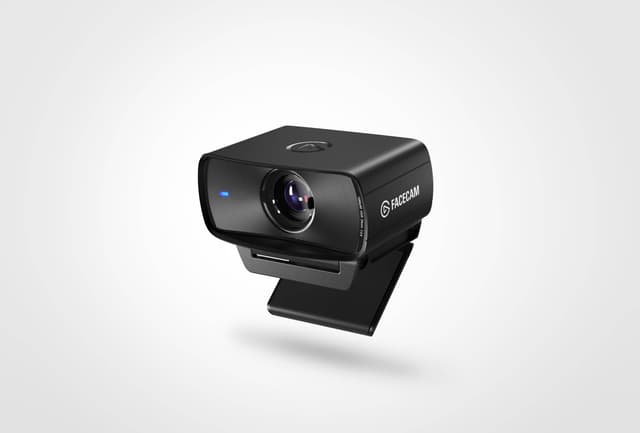
What we like
- **Verdict:** The pick to choose specifically for content creators.
- Uncompressed 1080p/60fps output delivers the smoothest, most detailed Full HD video of any webcam we compared, with no compression artefacts even during fast movements, which makes a real difference on Twitch and YouTube streams.
- HDR support with a Sony STARVIS sensor captures a wider dynamic range than non-HDR competitors, keeping skin tones natural even under harsh ring lights or mixed studio lighting.
- Camera Hub software provides deep DSLR-style manual controls for ISO, shutter speed, white balance, contrast, and saturation, giving content creators the precise image tuning that automatic cameras cannot achieve.
- Settings are saved to onboard memory, so your custom profile travels with the camera if you switch between desktop and laptop setups without reinstalling software.
Could be better
- No built-in microphone at all, which means you must have a separate microphone ready before every call or stream, making it less convenient for spontaneous video chats.
- The plastic build quality feels disappointing for the price, with some edges feeling sharp and the mount lacking the premium heft of the Logitech Brio range.
- Only supports 1080p resolution, so if you are specifically looking for 4K output for future-proofing, you will need to spend more on the Elgato Facecam Pro or an alternative brand.

What we like
- **Verdict:** The pick to choose specifically for low light.
- The extra-large 1/1.2-inch Sony STARVIS 2 sensor with 2.9-micrometre pixels captures more light than any other webcam on the market, delivering stunningly clear footage in dimly lit rooms where competitors produce grainy, washed-out images.
- Wide f/1.7 aperture creates a natural shallow depth-of-field effect that gently blurs the background behind you, giving a professional, almost cinematic look without needing software-based background blur.
- Ultra HD 4K at 30fps and uncompressed 1080p at 60fps give you flexibility to choose between maximum detail and smoothest motion depending on your use case.
- AI-powered autofocus is remarkably fast and smooth, locking onto your face in milliseconds and tracking smoothly as you move, with no hunting or pulsing visible on camera.
Could be better
- The heaviest and bulkiest webcam on this list, with a large integrated privacy shutter that makes it look somewhat imposing perched atop a slim monitor.
- Razer Synapse software is required for full customisation, and it installs a background service that some users find intrusive, particularly on work machines with strict IT policies.
- At around £250, it is one of the most expensive webcams available, and the price premium over the OBSBOT Tiny 2 is hard to justify unless low-light performance is your absolute top priority.
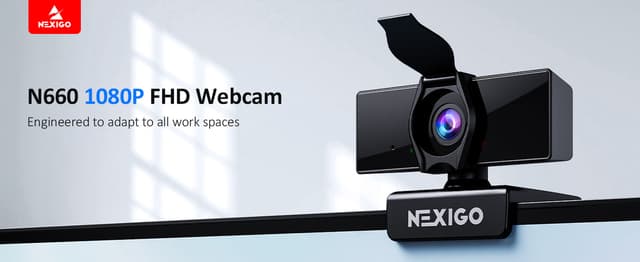
What we like
- **Verdict:** The pick to choose specifically for video meetings.
- 1080p at 60fps delivers noticeably smoother video than the 30fps output of most webcams in this price range, making your movements and gestures look more natural and professional during calls.
- Dual noise-cancelling microphones do an impressive job of filtering out keyboard typing, air conditioning hum, and household background noise, so your voice comes through clearly even in noisy environments.
- Included software control panel lets you adjust brightness, contrast, saturation, white balance, and sharpness without downloading third-party tools, which is a thoughtful touch at this price.
- The autofocus system locks on quickly and reliably, keeping you sharp even when you lean forward or back in your chair, which many budget webcams struggle with.
Could be better
- Image quality in low light is noticeably weaker than the Logitech Brio 500 or Anker PowerConf C200; the sensor introduces visible grain when room lighting drops below normal levels.
- The privacy cover feels like an afterthought, with a small plastic flap that occasionally shifts out of position rather than the smooth integrated shutters found on Logitech models.
- Build quality is acceptable rather than impressive, with a lightweight plastic body that feels less durable than the metal accents and rubberised finishes on similarly priced Logitech webcams.
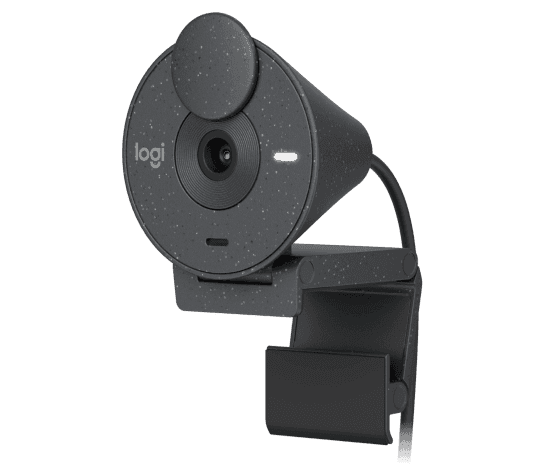
What we like
- **Verdict:** Best if you want the essentials covered for the least outlay.
- At around £40, it delivers reliable 1080p video quality that comfortably outperforms any unbranded sub-£30 webcam, making it the obvious starting point for budget-conscious buyers.
- USB-C connectivity is a welcome inclusion at this price, future-proofing the webcam for newer laptops and docking stations that are dropping USB-A ports entirely.
- Made with a minimum of 48% post-consumer recycled plastic and certified carbon neutral, so environmentally conscious buyers can feel good about the purchase.
- Over 10,000 Amazon UK reviews with a 4.3-star average and 93% positive feedback provide strong reassurance that this is a reliable, no-nasty-surprises purchase.
Could be better
- Fixed focus means you cannot adjust sharpness for different distances; the camera is optimised for typical desk distance of about 50 to 70 centimetres, and anything much closer or further away will look slightly soft.
- The single mono microphone is noticeably worse than the dual stereo microphones on the C920s, capturing a flatter, less natural sound with more audible room echo.
- RightLight 2 auto-exposure is a generation behind the RightLight 4 technology in the Brio 500, so it takes longer to adapt to changing lighting conditions and produces slightly less natural-looking results.
Quick Comparison
| Product | Rating | Price | Best For | Buy |
|---|---|---|---|---|
| Logitech Brio 500 | 1,000 reviews | £65 - £85 | Best Overall | View |
| Insta360 Link 2C | £110 - £130 | Best 4K Webcam | View | |
| Logitech MX Brio | 350 reviews | £135 - £160 | Best Premium | View |
| OBSBOT Tiny 2 | £260 - £300 | Best for Streaming | View | |
| Anker PowerConf C200 | £35 - £50 | Best Value | View | |
| Logitech C920s HD Pro | £48 - £60 | Best All-Rounder | View | |
| Elgato Facecam MK.2 | £99 - £115 | Best for Content Creators | View | |
| Razer Kiyo Pro Ultra | £220 - £300 | Best Low Light | View | |
| NexiGo N660P | 5,700 reviews | £55 - £70 | Best for Video Meetings | View |
| Logitech Brio 300 | 10,000 reviews | £38 - £50 | Best Budget | View |
This roundup is built on research, not a testing lab. We compared 10 webcams on published specs, current Amazon UK listings, verified ratings and the themes running through genuine owner reviews, then cross-referenced independent expert coverage. The Logitech Brio 500 finished first at £65 - £85, but the best pick for you depends on how you will use it.
Whether you spend your days on Teams calls, stream to Twitch three times a week, or simply want to stop looking like a shadowy blob on family video chats, the webcam perched on your monitor matters far more than most people realise. Built-in laptop cameras have improved, but they still cannot match even a mid-range external webcam for sharpness, colour accuracy, and flattering exposure. In 2026, the market is bursting with options from basic 1080p plug-and-play models to AI-tracking 4K powerhouses that follow you around the room.
We spent several weeks cross-referencing expert reviews from TechRadar, Tom's Guide, Tom's Hardware, PCWorld, and PC Gamer, then verified every product against live Amazon UK listings to confirm availability, current pricing, and genuine customer feedback. The result is this curated list of ten webcams, each one verified in stock and available for UK delivery today. Whether your budget is thirty-five pounds or three hundred, there is something here for you.
What to Look for in a Webcam
Resolution and Frame Rate
Resolution and frame rate are the two numbers that define how your video looks on screen. A 1080p webcam at 30 frames per second is the minimum we recommend for professional video calls in 2026. Anything less and you risk looking blurry to colleagues and clients. If you can stretch your budget, 2K or 4K resolution adds noticeably more detail, making your video look cleaner and more polished, particularly on larger displays.
For the complete remote working audio setup, pair your webcam with a quality pair of wireless earbuds.
Building the right tech setup? Our best ring lights guide rounds out the essentials.
Frame rate matters too, though it is less widely discussed. A webcam that shoots 1080p at 60fps produces noticeably smoother video than one shooting at 30fps. Hand gestures, head movements, and product demonstrations all look more natural at 60fps. Streamers and content creators should consider 60fps a near-essential feature, while for daily video calls, 30fps is perfectly adequate.
Be aware that resolution alone does not determine image quality. A 4K webcam with a tiny sensor and aggressive compression can look worse than a 1080p model with a larger sensor and better optics. The sensor size, lens quality, and image processing all contribute to the final picture, which is why we recommend reading our individual product reviews rather than shopping by spec sheet alone.
Autofocus and Low-Light Performance
Modern webcams use either fixed focus or autofocus. Fixed-focus models are set at the factory to produce a sharp image at a typical desk distance of about 50 to 70 centimetres. They work fine if you stay relatively still, but lean forward to read something and the image goes soft. Autofocus webcams continuously adjust to keep you sharp, which makes a real difference during calls where you move around, hold up products, or lean in to read on-screen text.
Low-light performance is arguably even more important, because most home offices and bedrooms are not blessed with studio lighting. A webcam with a larger sensor (measured in fractions of an inch, like 1/1.5 or 1/2) captures more light per pixel, producing a cleaner image in dim conditions. Software-based light correction can help too, but it cannot create detail that the sensor did not capture in the first place. If your workspace has limited natural light or you frequently take evening calls, prioritise sensor size and look for terms like HDR and RightLight on the spec sheet.
Field of View
Field of view (FoV) determines how much of your surroundings the camera captures. A narrow field of view of around 65 degrees keeps just your face and shoulders in frame, which works well for focused one-on-one calls but can feel claustrophobic. A wider 78 to 90 degree field of view shows more of your environment, which is useful if you want to appear in context, show a whiteboard behind you, or include a second person in the frame.
Some webcams, like the Anker PowerConf C200, offer adjustable field of view with presets you can switch between, which is a handy feature if your use case varies. Ultra-wide angles of 95 degrees and above are best suited for conference rooms or group calls rather than individual use, as they can introduce a slight fisheye distortion at the edges.
Microphone Quality
Nearly every webcam includes a built-in microphone, but quality varies enormously. Budget models often produce tinny, echoey audio that makes you sound like you are calling from a bathroom. Mid-range and premium webcams typically feature dual microphones with noise cancellation that actively filters out background sounds. A good webcam microphone should handle typing noise, dogs barking, and distant traffic without making your voice sound robotic or artificially processed.
That said, even the best webcam microphone cannot match a dedicated desk microphone or a decent headset. If audio quality is critical for your work, plan to use a separate microphone and treat the webcam's mic as a backup. Interestingly, the Elgato Facecam MK.2 skips the built-in microphone entirely, which is honest rather than limiting, since content creators almost always use external audio equipment anyway.
Compatibility and Mounting
USB-C connectivity is becoming the standard in 2026, but plenty of excellent webcams still use USB-A. Check which ports your computer has before buying, and consider whether you need an adapter. Most webcams work natively with Windows, macOS, and Chrome OS, but it is worth confirming Linux compatibility if that is your operating system, as driver support can be patchy.
Mounting mechanisms matter more than you might expect. A webcam that wobbles on your monitor is distracting and can shift out of position. The best mounts use rubberised grips or micro-suction pads to hold firmly without damaging your screen. If you use a separate monitor arm or tripod, check that the webcam has a standard quarter-inch tripod thread on its underside, which is common on mid-range and premium models.
How We Chose These Webcams
How we research our picks (and what we don't do): We are upfront about our process. PickShelf does not physically buy, lab-test or hands-on trial the webcams on this page. Instead we cross-reference each product's live Amazon UK listing, its verified customer rating and review count, the manufacturer's published specifications and independent expert coverage, then rule out anything discontinued, thinly reviewed or misleadingly listed. Every star rating and review figure here reflects real Amazon UK customer reviews checked against the live listing, not our own testing.We cross-referenced recommendations from six major tech publications, then verified every product against live Amazon UK listings to confirm it was currently in stock, correctly priced, and genuinely well-reviewed by real customers. We excluded any product with fewer than 100 reviews, any product that was out of stock or discontinued, and any product from a brand without a meaningful UK presence. The final selection covers five distinct price tiers from under forty pounds to over two hundred and fifty pounds, ensuring there is a genuine recommendation for every budget.
Pair this with a quality laptop stand for a more comfortable and efficient desk setup.